
One Excel workbook to track deliverables, RFIs, risks, issues and actions across every engineering project, with a live dashboard that shows what needs attention today.
Get it 50% off — 109 SAR▶ Watch the 2-minute tour: the problems it solves and the six-step workflow.
Built for project managers, design managers and coordinators who already work in Excel.
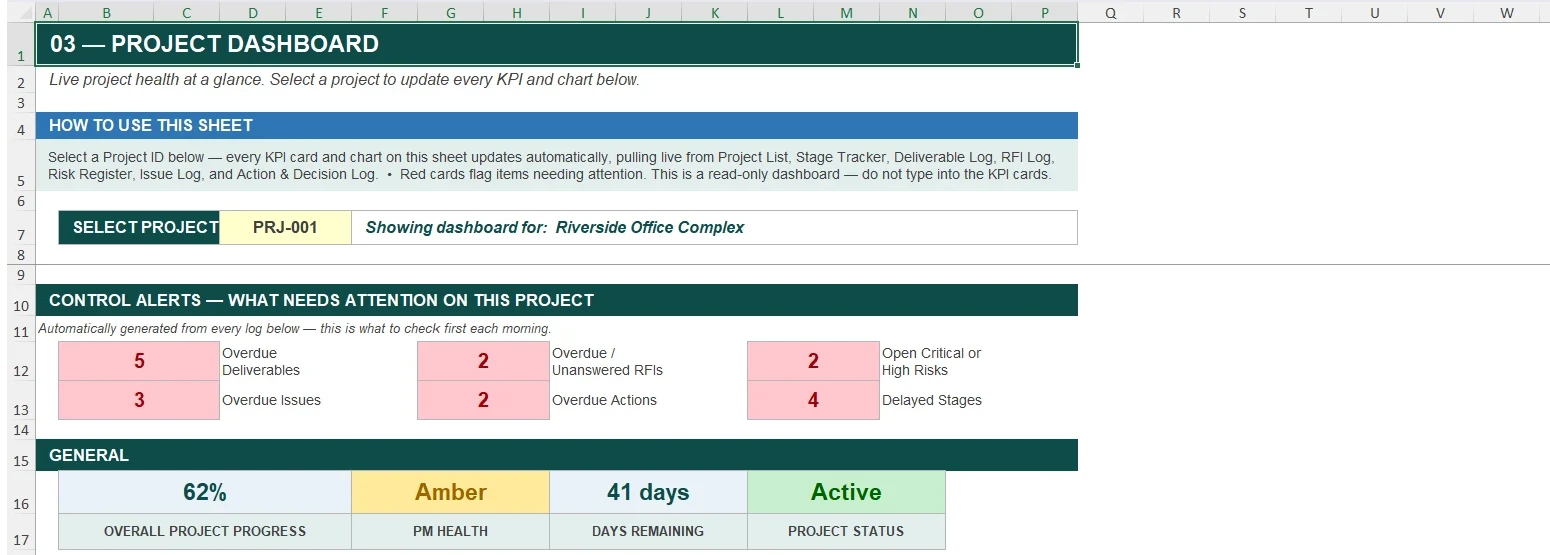
Overall progress, PM health, days remaining and control alerts for the project you select.
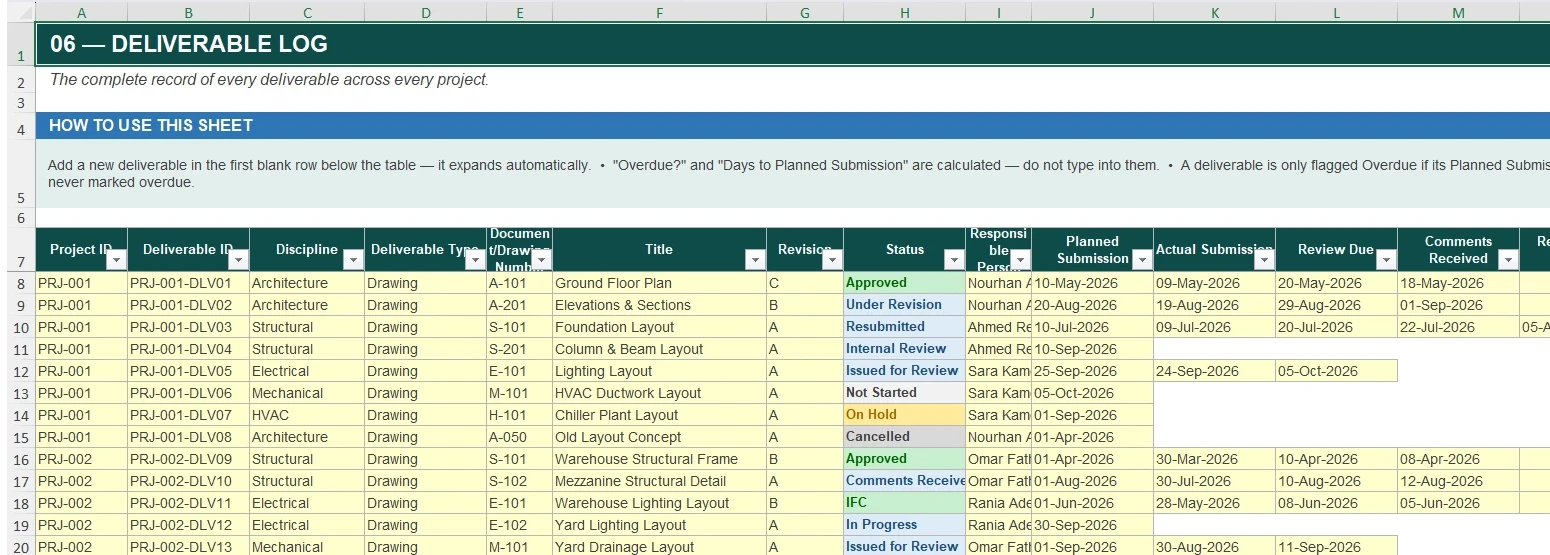
Review status, overdue flags and days open for every drawing and document.
Open, answered and closed requests, with response-time tracking.
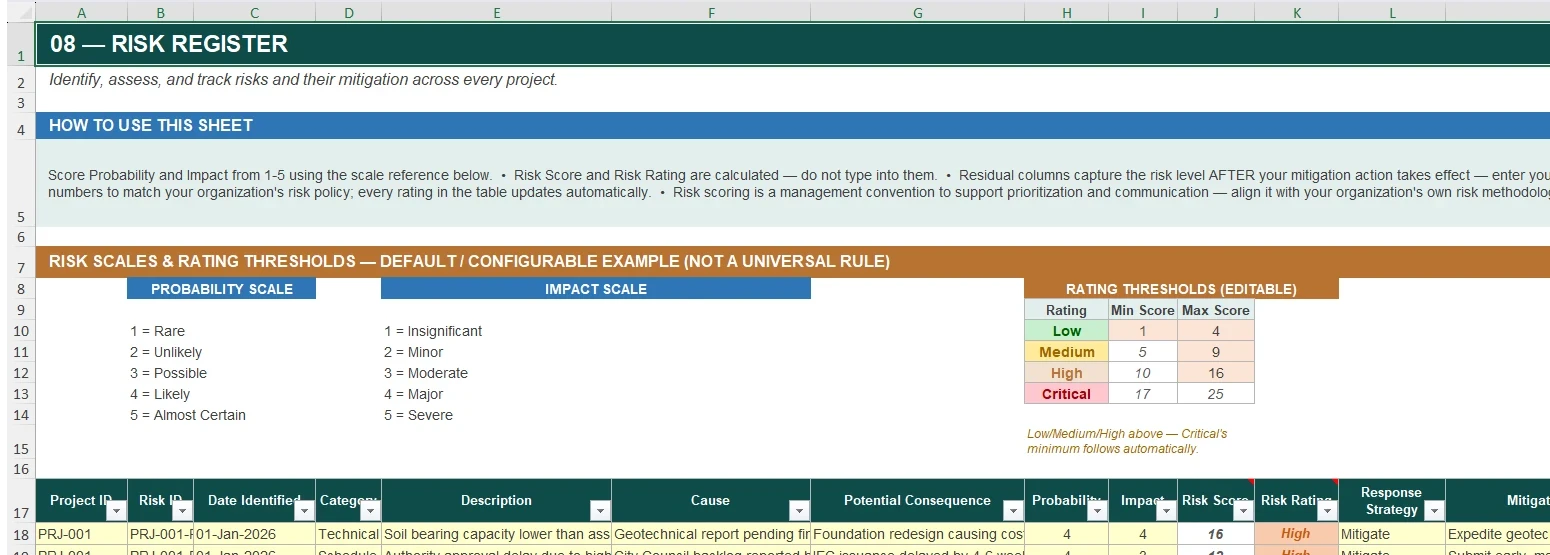
Probability × impact scoring, with thresholds you can change to suit your organisation.
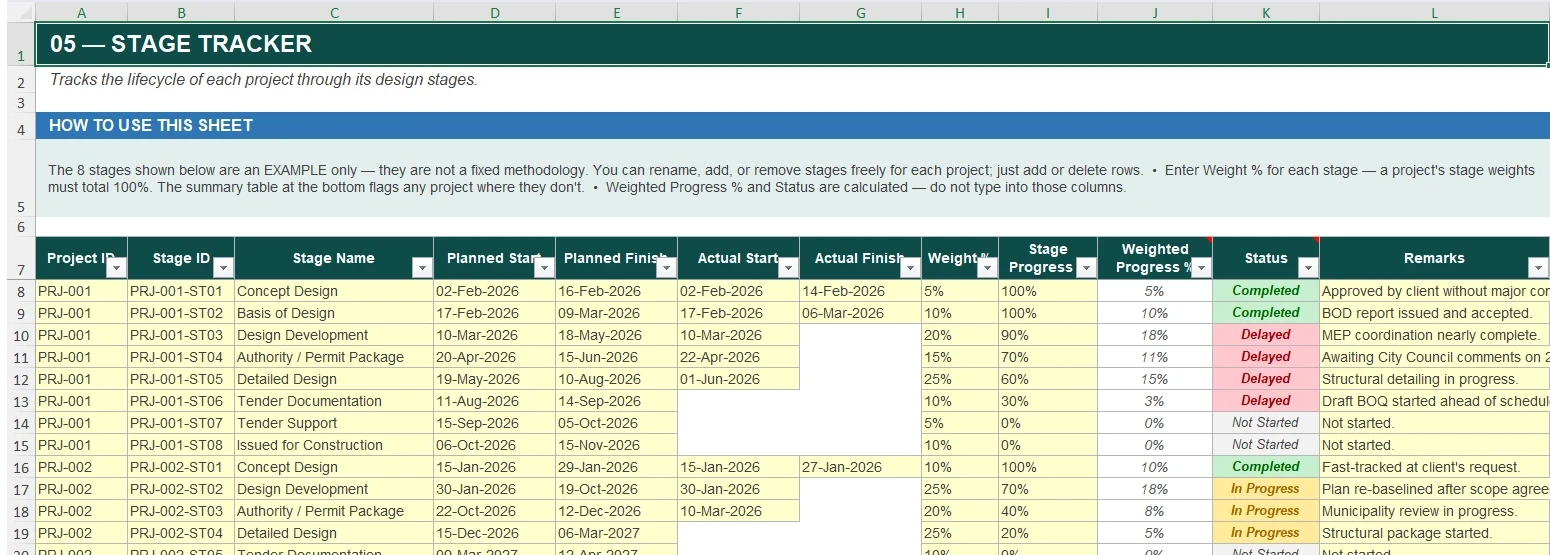
Weighted progress by design stage, with a warning when stage weights don't total 100%.
Dependent status lists so every action and decision has a valid status.
Five minutes to set up, then one short routine each week.
Enter each project once on the Project List: ID, name, client, dates, manager and value. The Project ID dropdown drives the rest of the workbook.
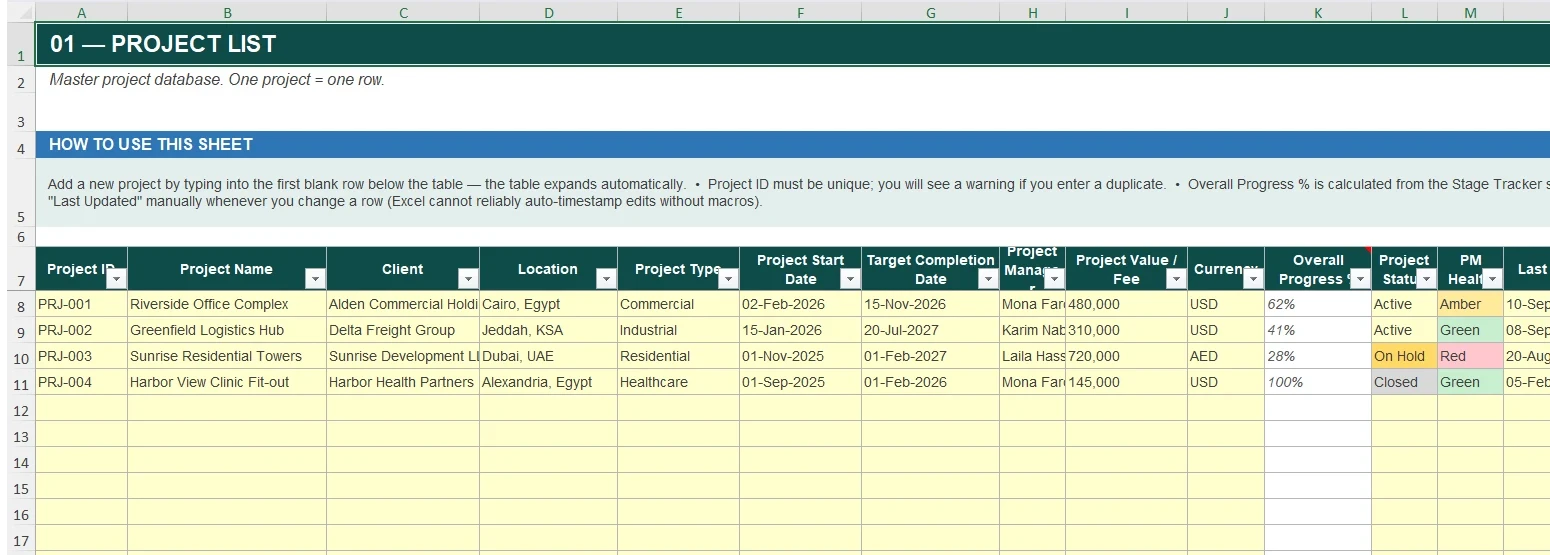
Enter the design stages for each project and their weights. Progress is calculated automatically from the stages you complete.
Record each drawing or document with its planned and actual dates and review status. Overdue items are flagged automatically.
Score risks by probability and impact. Keep issues and risks separate, and log actions and decisions with owners and due dates.
Select a project and the dashboard shows what needs attention: overdue deliverables, overdue RFIs, open critical risks and delayed stages.
Pay once and keep the workbook. No subscription, no seat fees for individual use.
If the workbook doesn't work as described, request a full refund within 14 days of purchase. Refunds go back to your original payment method.
Individual use for your own project work. A Team or Company licence is available for an organisation. The licence document explains what's covered.
Microsoft Excel 2016 or later on Windows (desktop). Not tested on Mac or Google Sheets.
Still unsure? Email vantyracore@gmail.com.
No. It uses standard Excel formulas, tables and dropdowns, so it works without enabling macros.
Yes. The Administrator Guide explains how to add projects, change dropdowns, adjust thresholds and add stages. Support does not include bespoke formula building.
Yes, four fictional projects show how each sheet is used. Replace them with your own data when you're ready.
No. It's a one-time purchase with a perpetual licence.
No. It's a project-management template. You remain responsible for applying your organisation's procedures, contract requirements and applicable standards.